
GoPro seems to be enjoying a bit of a resurgence lately. Not only have they released what I consider to be one of the best cinematic action cameras currently available, but they’re also expanding their accessory lineup with products aimed at more serious content creators.
One of those accessories is the new GoPro Wireless Mic.
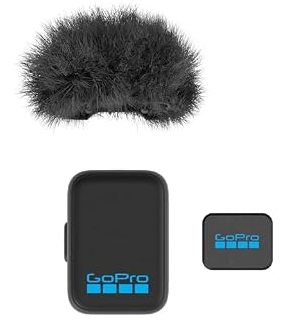
At the time of writing, the complete microphone kit is already available. I’m not going to review the full kit just yet though. I’d rather save that until I can test it alongside the upcoming Mission 1 Media Mod. Instead, this review focuses on using the microphone as a standalone Bluetooth mic connected directly to a GoPro camera.
The Hero 12, Hero 13, Max 2, and Mission 1 camera series all support Bluetooth audio, making it possible to record your voice directly into the camera while keeping it completely waterproof.
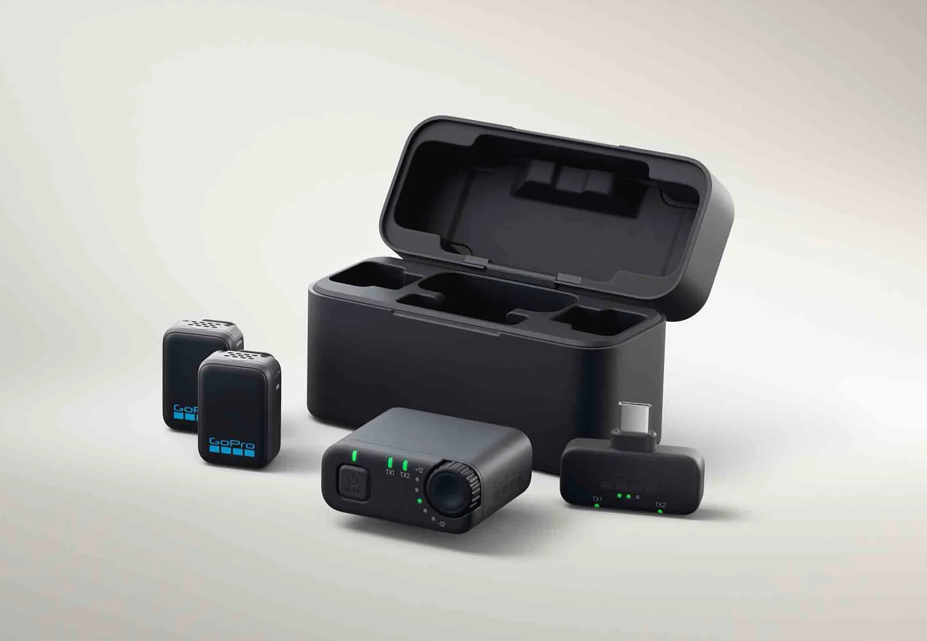
Pairing the GoPro Wireless Mic
Pairing the microphone is refreshingly simple.
The mic uses a single multifunction button that handles power, Bluetooth/TX-RX mode switching, pairing, and noise reduction.
First, check which operating mode the microphone is using.
- Blue LED = Bluetooth mode
- Green LED = TX/RX mode
If you need to switch modes, simply press the button three times until the LED changes to blue.
Once the microphone is in Bluetooth mode, turn the microphone off. Then press and hold the power button for approximately five seconds. The microphone powers back on in pairing mode.
From there, simply open your GoPro’s Bluetooth menu, search for a new device, select the microphone, and you’re ready to record.
Audio Quality
This is where things get interesting.
Before buying the GoPro Wireless Mic, I was using the DJI Mic 2 over Bluetooth with my Hero 12, Hero 13 and Max 2.
The DJI microphone was… usable.
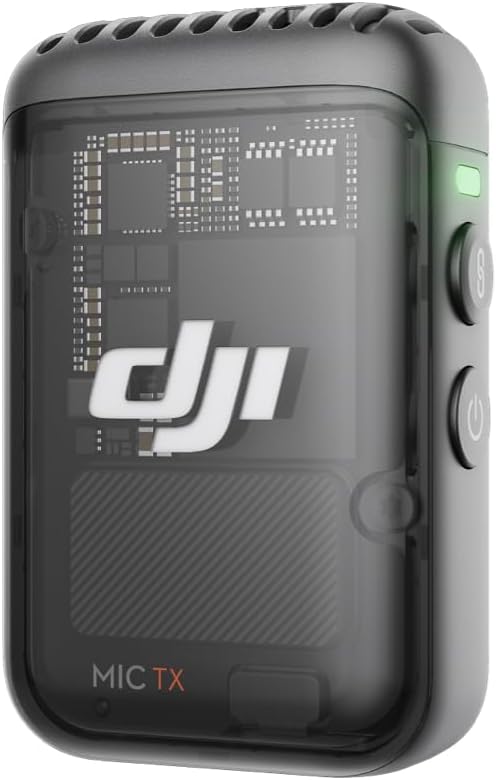
I’d describe the sound quality as very similar to a phone call. Perfectly understandable, but not something I’d want listeners to hear for an entire video.
I also experienced several issues when filming.
Since I often mount my cameras outside my vehicle, Bluetooth range became a noticeable problem. As distance increased, so did compression artifacts and occasional crackling. The DJI Mic 2 also tends to produce fairly bass-heavy audio, which allowed engine noise to overpower my voice more than I’d like.
The GoPro Wireless Mic performs similarly on these older cameras, but with several noticeable improvements.
1. Noise Reduction
Unlike the DJI setup, the GoPro microphone lets you enable or disable onboard noise reduction even when using Bluetooth audio.
Depending on your environment, this can noticeably improve speech clarity.
2. Better Bluetooth Performance
The biggest surprise was Bluetooth stability.
Despite the microphone’s tiny size, I experienced significantly better range with no crackling or obvious compression artifacts, even in situations where I’d previously encountered problems using the DJI Mic 2.
If you’re using a Hero 12, Hero 13 or Max 2, these improvements alone make the microphone worthwhile.
However, the real magic happens with the Mission 1.
3. HFP 1.9 Changes Everything
The Hero 12, Hero 13 and Max 2 support Bluetooth HFP 1.7, which is limited to narrowband voice audio.
The Mission 1 supports HFP 1.9, which enables Super Wideband Audio.
That single change transforms the microphone.
With older cameras, Bluetooth audio is still very much “phone call quality.” It’s perfectly acceptable for quick pickup shots or short clips, but I personally wouldn’t record an entire review using it.
The Mission 1 is a completely different experience.
Bluetooth audio suddenly becomes something I’d happily use throughout an entire production.
GoPro records 16-bit / 32 kHz audio, and the difference is immediately obvious.
The sound is crisp.
It’s clear.
It doesn’t have that compressed Bluetooth character, and voices sound much more natural.
For the first time, Bluetooth audio feels like a genuine production option rather than a compromise.
Honestly, I suspect this is one reason GoPro released the complete microphone kit before selling the standalone microphones.
Had the standalone version launched first, many people would probably have discovered that the Bluetooth quality on the Mission 1 is good enough that they simply wouldn’t need the full kit. However be aware, the complete kit offers you even better audio quality at 24-bit/ 48 kHz
Who Will Benefit?
The answer depends entirely on your camera.
If your camera only supports HFP 1.7, don’t expect miracles.
You’ll still hear improvements in Bluetooth stability, range and reduced compression artifacts, but the audio itself remains limited by the Bluetooth standard supported by the camera.
If you own a Mission 1, or any future camera supporting HFP 1.9, this microphone becomes a far more compelling upgrade.
Design
One thing that immediately stood out is just how incredibly small this microphone is.
Seriously…
It’s tiny.
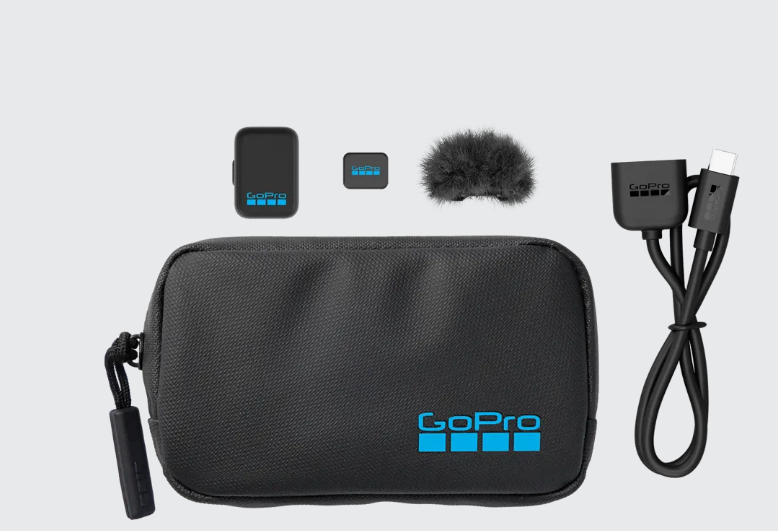
It includes both a traditional clothing clip and a surprisingly strong magnetic attachment, making it very easy to hide on a shirt or jacket.
My only concern is that something this small is also going to be very easy to misplace.
The magnetic mount works well, but it’s also another tiny accessory waiting to disappear into the depths of a camera bag.
Of course, replacement magnets are inexpensive, although let’s be honest—people will still want the official GoPro one with the logo on it.

Final Verdict
If you own a Mission 1 or any camera supporting Bluetooth HFP 1.9, this is an easy recommendation.
As a standalone microphone costing around $50, it delivers surprisingly impressive audio quality, excellent Bluetooth stability, and a size that’s almost unbelievably compact.
If you’re using an older camera limited to HFP 1.7, the improvements are less dramatic. The Bluetooth audio quality is still constrained by the camera itself, but you’ll benefit from improved range, fewer connection issues, and cleaner recordings.
Even then, if I had to choose between this and another $50 Bluetooth microphone, I’d still pick the GoPro Wireless Mic.
The tiny size makes it incredibly discreet, the audio is excellent for what Bluetooth allows, and paired with a Mission 1 camera, it genuinely feels like a completely different class of microphone.
I’m certainly glad I picked one up.
Disclaimer
This review is based on my own personal experience, testing, and opinions. Manufacturers don’t get to approve, edit, or rewrite my reviews before they’re published. If something impressed me, I’ll say so. If something didn’t, I’ll say that too. If I think a product smells a bit funny, I’ll probably mention that too even though it’s a bit of a strange thing to bring up. I mean, who goes around sniffing things anyway?
Some of the links on this page are affiliate links. That means if you decide to buy something after clicking one of them, I may earn a small commission at no extra cost to you. Those commissions help keep DemonView running, fund future reviews, and occasionally allow me to purchase expensive camera gear or even inexpensive camera gear. It sometimes even helps me to donate money to worthy causes (and I actually do that because sometimes folks just need some help). Just know that anytime you purchase or buy something via an affiliate link, something good is coming of it.
As an Amazon Associate and participant in other affiliate programs, I earn from qualifying purchases, although I don’t earn a lot these days.
Prices, availability, and product specifications can change without notice, so always double-check the manufacturer’s website before making a purchase. Also hunt around to see if you can get better pricing elsewhere, sometimes other websites offer sales and you need to concentrate on what’s best value for you. Sure you may break my tiny little beating heart, but that’s just life!
If you’ve made it this far, congratulations! You’re one of the rare people who actually reads disclaimers. That either means you’re wonderfully detail-oriented… or you’re procrastinating and this suddenly became far more interesting than whatever you were supposed to be doing. Either way, I appreciate you sticking around, and I hope you found the review helpful and got a few cheap laughs out of this disclaimer. I mean, sure, they are legally required, but if you have to sit and read them, shouldn’t they be a bit of fun for you to sit through?.
 English